

Creating a Campaign in CPA Pony
A campaign in CPA Pony is an internal abstraction on top of triggers/workflows and has no connection to your campaigns in ad networks or your tracker.
To create a campaign:
- Click [Campaigns] in the menu
- Click the [Add campaign] button
You will see the following window:
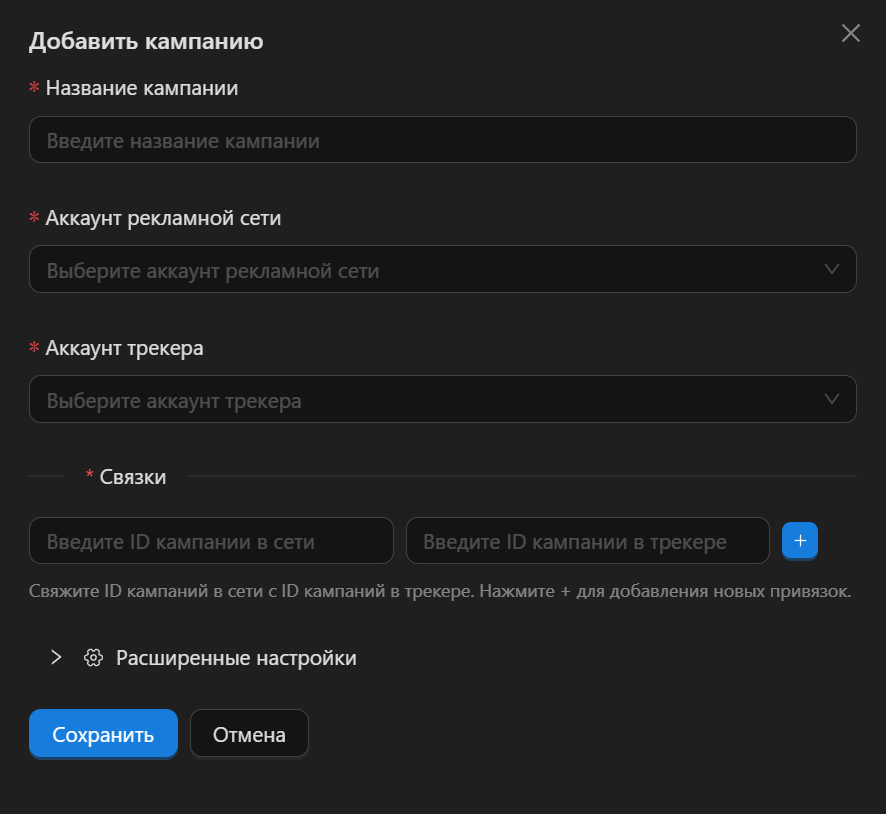
Description of the window fields:
- Campaign name - any name you like. You will see it in triggers, workflows, and results
- Ad network account / Tracker account - here you select the ad network and tracker accounts you have added.
- Bindings - the field where you match your campaign in the ad network with the campaign in the tracker.
- Advanced Settings:
- Time Zone - select the time zone the ad network operates in
- Strict Conflict Validation - this option checks the trigger settings configured by the user to prevent loops, for example when one trigger disables a site and the next trigger immediately re-enables it.
Bindings
In our experience, the same set of triggers is used within a single ad network. Say you have 3 campaigns running in your ad network — to save you from creating 3 campaigns in CPA Pony and setting up identical triggers for each of them, we introduced the "Bindings" system.
Within a single CPA Pony campaign you can add several campaigns from the ad network, matching each of them with the tracker campaign created for it.
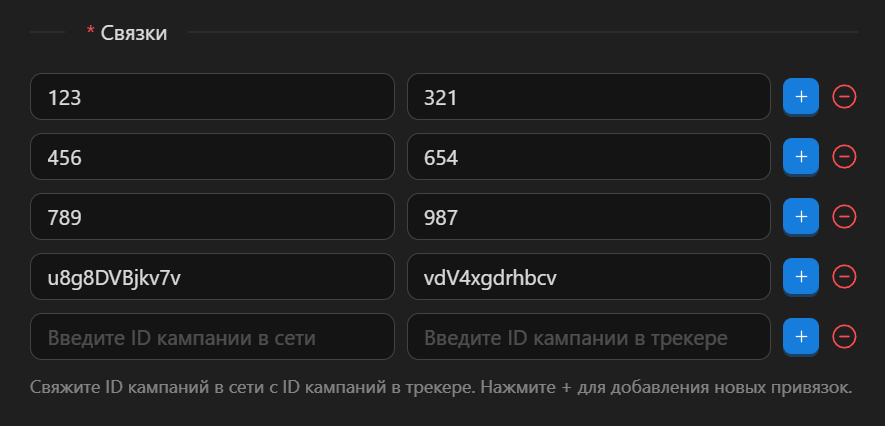 As the hint suggests, in the first field you enter the ID of your campaign in the ad network, and in the next field you enter the ID of your campaign in the tracker.
Advanced Settings
Time Zone
The system already has a default time zone configured for each ad network, and in most cases everything will work correctly out of the box.
However, some ad networks let you change it, and to prevent statistics from drifting in reports you can set a custom time zone here.
Strict Conflict Validation
With a large number of triggers and long hours on the platform, your eyes can start to glaze over, and a logical error can sneak into your trigger conditions.
For example: Trigger 1
- Action: Disable site
- Conditions:
- Clicks > 1000
- Leads < 2
Trigger 2
- Action: Enable site
- Conditions:
- Clicks < 1500
- Leads > 1
So the first trigger disables the site, and the second one immediately re-enables it. The example is simplified and obvious — in hindsight, and when you know what to look for 😃 But in the moment, mistakes like this happen very often, in our experience.
The "Strict Conflict Validation" option checks for overlapping metrics between triggers within a single campaign. However, if this behavior is expected and intended, the option can be turned off.