

Blocks
Blocks are a child element of Triggers, where you configure actions and conditions.
To create a Block:
- Open the Trigger you created in the previous step
- Click the [Add block] button
You will then see the following window:
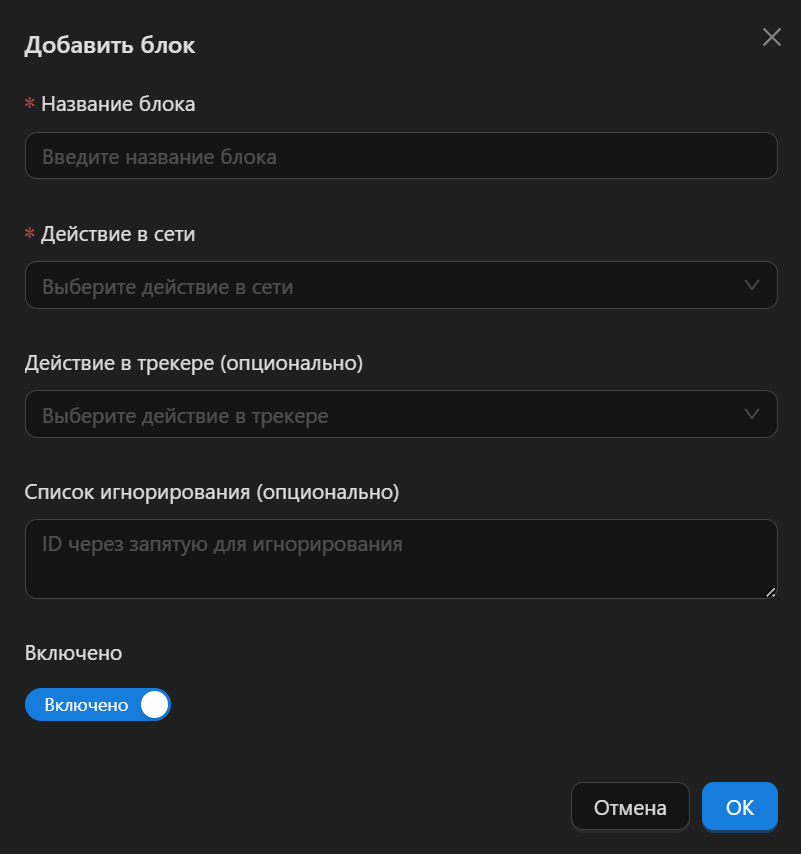
A quick overview of the fields in this window:
- Block name - any name you like. You will see it in notifications
- Ad network action - the action that will be performed in the ad network when the conditions are met (we will configure the conditions later).
- Tracker action (optional) - the action that will be performed in the tracker when the conditions are met
- Ignore list (optional) - a list of IDs that will be ignored when checking conditions
Ad Network Action
CPA Pony offers the following actions for the ad network:
- Enable
- Disable
- Enable coefficient
- Disable coefficient
- Set coefficient
- Set price
- Send notification
Enable/Disable
Enables or disables the Object. If the selected Object is an Ad, the action will enable/disable the ad. If the selected Object is a Site, it will add the site to the blacklist or pull it out of the blacklist (or enable/disable it, depending on the mechanics of the specific ad network).
Enable/Disable coefficient
Some ad networks have a mechanic for enabling/disabling a coefficient. It is of little use for Triggers and is more relevant for the workflow graph.
Set coefficient / Set price
This action sets a specific price or coefficient for the Object.
INFO
Some ad networks (for example, AdProfex) penalize a campaign if it has many sites in the blacklist.
To avoid this, instead of disabling a site, you can set a minimum price or coefficient for it, so that your ads lose the auction on the unwanted site and thereby minimize costs on it. This is often more profitable than disabling the site and taking a hit across the whole campaign.
Send notification
If you don't want CPA Pony to perform any actions, but you still want to stay on top of everything, you can choose the "Send notification" action. You will receive messages via your chosen notification channel (at any time, day and night), and then you make the decision yourself and perform the action manually.
This is useful at the Trigger testing stage, when you are still fine-tuning your conditions.
Tracker Actions
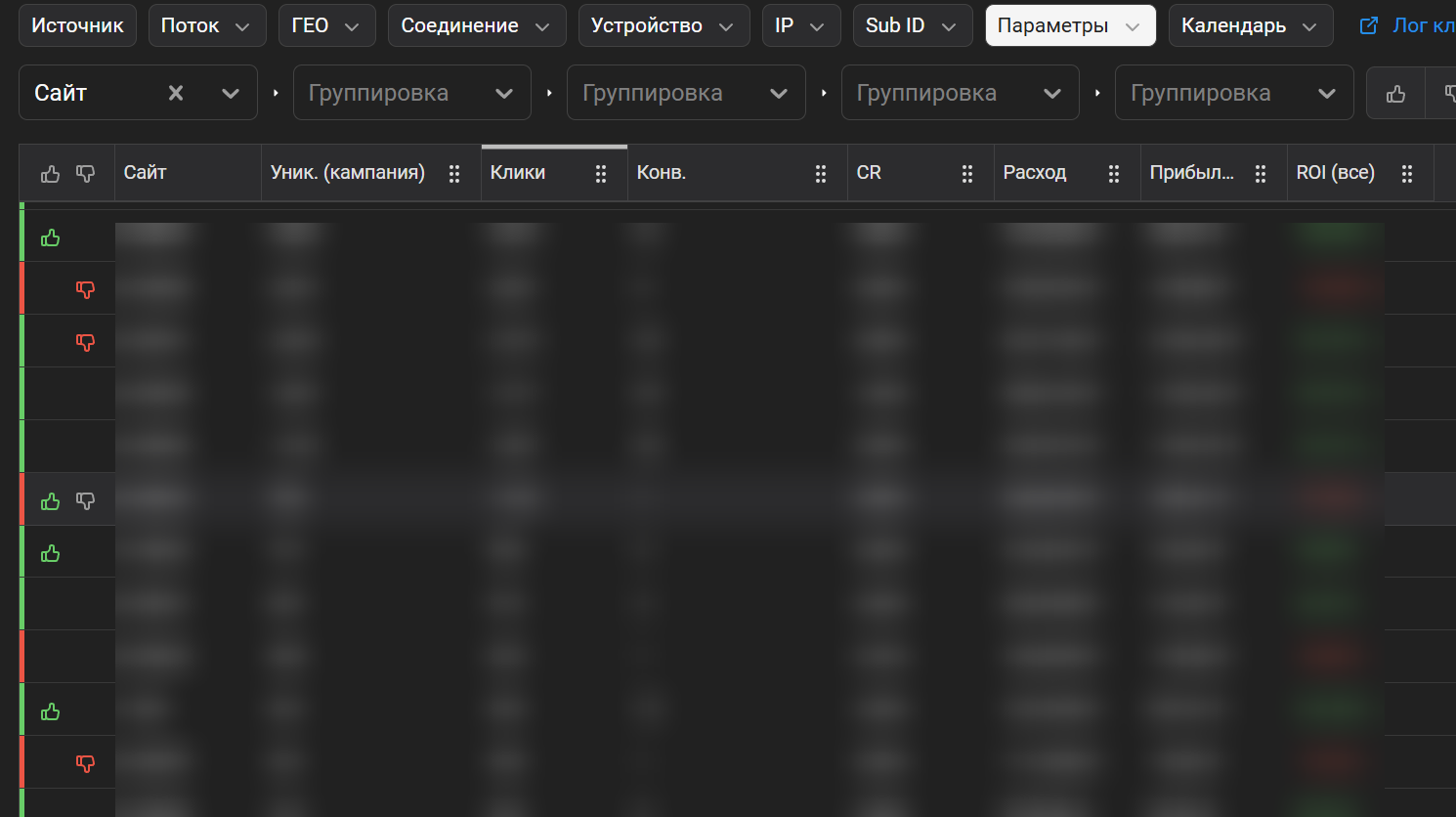
Trackers, by design, don't offer any truly useful actions — only cosmetic ones, for a more convenient visual review of how your Triggers are working.
For example, the Keitaro tracker has these actions:
- Set BlackList label
- Set WhiteList label
For example, if you choose "Disable site" as the ad network action and "Set BlackList label" as the tracker action, you will visually see the disabled sites in your reports:
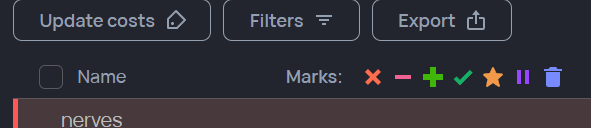
The Binom tracker has different labels
Ignore list (optional)
If you don't want Triggers to react to an Object's ID (site / ad), specify the IDs in this field, separated by commas.
After that, the Object disappears from the Trigger's view.
This is useful in cases where, for example, you know for sure that the site with a certain ID is "totally fine", but right here and now the Triggers might block it because the campaign/ad hasn't warmed up yet and its stats are "not great". To keep it from getting blacklisted, add its ID to the Ignore list and nobody will bother that site.