
User Profile
Notifications
Notifications are there to promptly let you know when a trigger has fired.
All notifications are delivered to the CPA Pony bot.
To set up notifications:
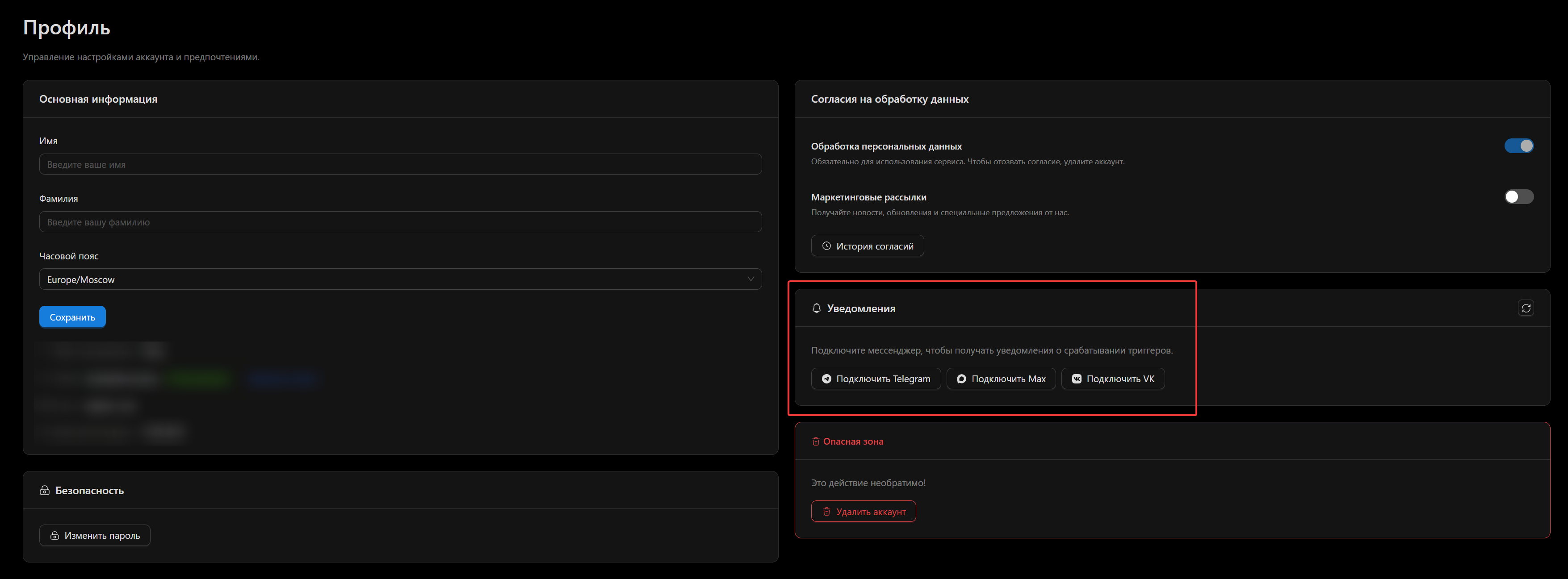
- Go to the profile page
- In the Notifications block, connect the channel you prefer for notification delivery
The profile page with the notification settings block
Channels
The following channels are currently available:
- Telegram
- Max
- VK
Telegram and Max
After clicking the corresponding button, you will be redirected to the CPA Pony bot. Press start, and that's it — authorization in the bot is complete, and all notifications will be delivered there.
INFO
CPA Pony does not send any mass mailings through the bot. It will only contain notifications about trigger activity, so we recommend keeping notification sounds on so you don't miss anything important.
We publish all important announcements in our chats/groups:
VK
After clicking the [Connect VK] button, a link to our VK group chat and a code will appear. To activate the bot, copy the code from the page and send it to our group chat.